How Businesses Can Turn an AI Prototype Into a Production Application
How Businesses Can Turn an AI Prototype Into a Production Application
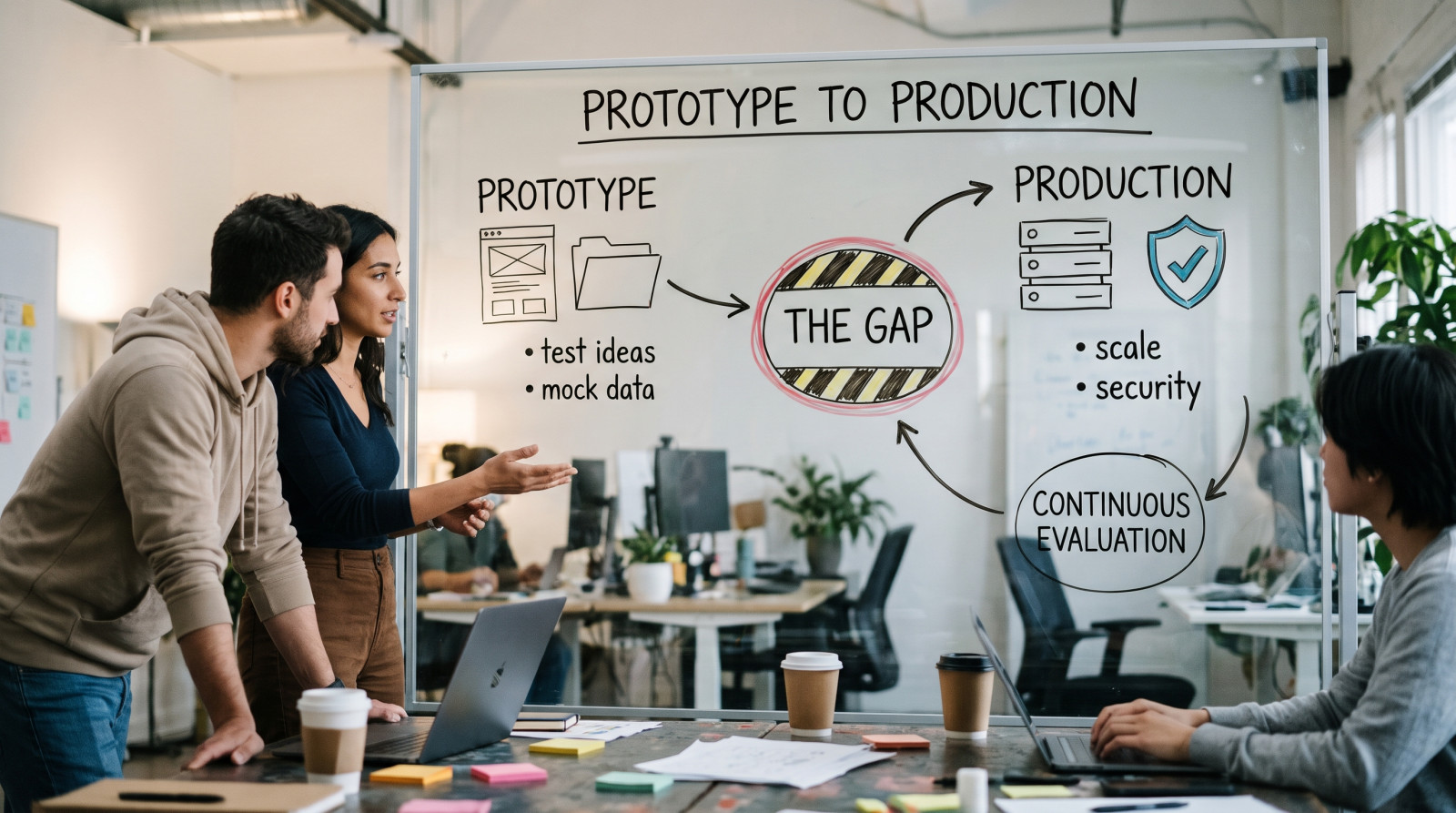
Designing a compelling AI proof-of-concept can now be achieved in just one weekend using state-of-the art LLM APIs, agent tools and AI development environments including Cursor, Lovable, Bolt, v0 and Claude Code. This can be achieved by a start-up founder or product manager.
Moving on from a proof-of-concept to a production quality software solution is a very different process.
While an AI prototype needs to function effectively during a 5 minute screen-share along a selected ‘happy path.’, production software must also manage multi-user access, unstructured user interaction and API downtime.
It must pass security testing and operate within cloud infrastructure costs – all the while ensuring that it does not expose confidential information or generate false outputs in front of customers.
Overview: How to Move from AI Proof-of-Concept to Production
Businesses should analyse their current code base in order to determine if they re-engineer or re-design their solutions.
They can then progressively introduce features such as data persistence, user authentication, secret variables handling, AI safety, self-assessment functionality, token expenditure oversight, CI/CD and live monitoring, and gradually release their solution to end-users.
Whether you have created an AI enabled product (for example, a chatbot, RAG based search engine or self-operating agent), or an AI generated (‘vibe-coded’) proof-of-concept, this article provides a 7 step hands-on approach to enable you to successfully transition from an AI prototype to production quality solution.
In this guide:
-
Why Most AI Prototypes Never Make It to Production
-
The 7-Step Framework to Turn an AI Prototype Into a Production Application
-
AI Prototype vs. Production Application: Readiness Checklist
-
Choosing the Right Team Model: In-House, Agency, or Vetted Freelancers?
Why Most AI Prototypes Never Make It to Production
Across sectors there is often a large number of good AI prototypes which fail to transition to live systems. Usually this is not due to poor underlying concepts. Rather it is due to differences between the engineering needed to produce an AI prototype and that required in live systems.
Engineering Debit Underlying Rapid Prototypes
Prototyping systems are designed to maximise speed of delivery. Engineers routinely identify similar poor engineering practises within AI prototypes and/or apps using vibing:
Embedding and sharing API keys. API keys are either embedded in frontend code or shared within version control so they can be viewed and misused.
Poor persistence. Temporary in-memory or JSON based persistence and/or non-indexed development databases with no backup or migration process.
Poor security. While simple authentication may be implemented, RBAC (Role Based Access Control) is usually absent. This means that a tenant/user can access data for another tenant/user.
Threading limitations. Single-threaded AI prototype processing functions well for individual test users, but causes freezing or even system collapse when 20+ users attempt to access the system endpoint concurrently.
Indeterminacy and Subtle System Faults
While most software is determinate (i.e. the same response is always generated for the same input), AI is indeterminate. Even with identical prompting, an LLM may respond with subtly differing wording, incorrectly formatted JSON and/or over-assertive invented information.
Within live systems, this results in problems which are not identified by conventional unit testing:
Prompt change. An alteration to the prompt to resolve one edge-case can inadvertently disrupt three other processes.
Subtle changes by AI suppliers. Systems can reference models via ‘latest tags’. If an AI supplier alters its model weights and/or default settings then this can result in subtle and often unwarned changes in system behaviour.
Compound agent faults. For AI agents which operate in stages, each stage is typically 95% accurate. Following 10 such stages, only around 60% overall system accuracy is achieved.
Economic Surprise at Scale
During prototyping, expenditure on tokens tends to be minimal. Weekly expenditure on API calls also appears insignificant. Poorly engineered AI can quickly deplete a company’s finances once live usage begins.
Long prompt history inclusion, lengthy system prompting, non-caching of repeated requests and endless re-processing of tool call failures frequently escalate AI prototype costs from $20/week to $5,000+/month. Often this erodes unit economics prior to a company even attaining product-market fit.
Top 5 AI Prototype Systemic Issues
-
Security – API key exposure, absence of tenant separation and susceptibility to prompt injection.
-
Persistence – Data can be lost through transient persistence. Back-up and/or schema migration may also be absent.
-
Reliability – No process for managing LLM time-outs and/or incorrect responses. There may also be no contingency procedures.
-
Response time – Users are often left waiting as slow API calls are processed sequentially.
-
Cost – Unlimited token consumption and unchecked agent re-processing can lead to spiralling expenditure. Again, no charging system ‘fuse’ may exist.
Refactor vs. Rebuild: How to Audit Your AI Prototype First
Even before you start writing production code and/or hire engineers, you must decide whether to re-engineer an AI prototype or to use it as a guide towards building a new product.
Incorrect decisions can be costly. Re-engineering a potentially re-usable codebase is a lengthy process. Endeavouring to fix a poorly designed AI prototype can lead to ongoing and costly maintenance issues.
Conducting a Rapid Production Readiness Audit
Undertake a methodical, time limited (usually between 2 and 5 days) audit to analyse your existing system. This should include:
User journeys and scenarios – Include detail of each page and API endpoint. Alongside the ideal user journey, this should also cover; page loading, blank pages, loss of connectivity and error reporting.
Data – Note how data is both inputted and then held within your system. Clearly define which Artificial Intelligence (AI) third-party APIs are given data and assess if Personally Identifiable Information (PII) is being passed to AI models.
External tools – Provide details of all the Large Language Model (LLM), vector database, webhooks and authentication libraries that are used. Include information regarding fixed versions and rate restrictions.
High and low value components – Your prompt design, business rules and verified user journey represent high value areas. Typically, your basic database and loosely constructed API integration code will be of lower value.
Decision Matrix: When to Refactor vs. When to Rewrite
Consider the following factors:
|
Factor |
Refactor |
Completely re-engineer |
|
System design |
Well-structured and based on widely used technology (such as Next.js, FastAPI and/or React). Good separation of concerns is also important. |
Poorly structured ‘spaghetti’ system, code duplication and/or hard-to-maintain auto-generated code. |
|
Vendor lock-in |
Systems are developed and stored within common, owned source code repositories. |
Locked into a closed no-code or low-code development tool, with limited or no access to back-end functionality and/or the ability to implement bespoke security. |
|
Compliance and security |
Common business SaaS security requirements. Further authentication and secret management functionality can also be added in a well-structured manner. |
High compliance demands (for instance HIPAA, SOC 2, GDPR and/or PCI-DSS) meaning data must be appropriately quarantined and there should be good logging facilities. |
|
Scalability |
Good mid-range concurrent user handling with steady scalability. |
Large scale, sophisticated multi-tenancy and/or high-volume live stream processing. |
Should you be uncertain about which side of the boundary your AI prototype sits on, do not speculate. Engaging a suitably experienced programmer to conduct a defined scope review of your code via a reputable third party platform such as GigMint’s Programming & Tech section is much cheaper than making incorrect recording decisions. It will also provide you with an unbiased technical strategy prior to further substantial investment.
The 7-Step Framework to Turn an AI Prototype Into a Production Application
Having completed your audit, utilise this 7-point guideline to further mature your application.
1. Determine Product SLAs and KPIs
While visual appeal is key for an AI prototype, in production it is about how well your application achieves a business goal, and within set technical constraints.
Prior to working on your tech stack, convert your product aspirations into proper SLAs and technical KPIs.
Accuracy – what level of accuracy must your AI achieve to be effective? For example, a RAG legal support assistant might require 95% accuracy at citing sources and an automated ticket triage system may require less than 1% false positives.
Response time – establish your P95 response time (that 95% of users will experience). Typically, interactive applications should have a Time to First Token (TTFT) of less than 1.5 seconds to provide an immediate user experience. Background data analysis can operate within a much wider window, for example 30 seconds or more.
Cost per user interaction – determine the highest cost-per-inference that your business model can afford.
Strict V1.0 functionality – specify what is not going to be delivered in your initial release. It is often more effective to successfully launch a single well-functioning feature, than to release 5 poorly performing ones.
Production Requirements Document – a single page outlining the approved SLA’s for accuracy, response time, availability and unit cost.
2. Create Production Data Store and Authentication and Manage UI States
Many AI prototypes fail when deployed as often the underlying web technology has not been sufficiently developed. Step 2 moves your application from a rudimentary system to a robust solution.
Create a production database. Replace existing and/or development databases with a production quality database such as PostgreSQL (with extension pgvector for vector support) or using a vector database in conjunction with a relational database. Include automatic backup, point-in-time recovery, connection pooling and versioned change management of the database.
Implement user authentication and authorisation. Use recognised authentication mechanisms and then enforce authorisation restrictions on each API method. Never allow authorisation to be dictated by client side checks and so ensure only permitted users are able to see information and/or messaging and to administer systems.
Develop appropriate UI states – As AI is slower and more variable than typical database operations, enhance your application by providing live updates of a model’s working, plus ‘skeleton’ UIs, informative blank UIs and refresh functionality. Also include polite error messages if a model fails to respond in time.
If your AI prototype was rapidly produced and therefore lacks both refinement and good technical foundation, now is an excellent opportunity to bring in a back-end developer and/or a GigMint expert from our UI/UX Design and Programming & Tech teams to create both snappy UIs and well-structured REST APIs.
Production data store – including automatic back-up; confirmed role-based access control; and full management of UI loading, blank and error states.
3. Further Secure Application, Control Secrets and Apply AI Safeguards
In addition to the usual web security issues, AI brings fresh security concerns. Refer to the OWASP Top 10 for LLM Applications and the NIST AI Risk Management Framework (AI RMF) as starting points for analysing your security.
Protect valuable information – relocate all LLM, database and webhook API keys and passwords to a secure Secrets Management system (for example AWS Secrets Manager, HashiCorp Vault and/or your cloud service provider’s encrypted environment variables service). Frequently update these and review the version history of your code to ensure that no prior data breaches have occurred.
Provide minimal access to tools – if your AI agent can access databases, email or other APIs, then only grant it the bare essential level of access. Preferably, define database access as read-only. Furthermore, always require user approval prior to conducting actions which impact data or involve money.
Add input and output controls:
Input – Inspect text entered by users to detect and block prompt injection, jailbreaking and also personally identifiable information (for instance credit card and/or Social Security numbers) prior to passing it to the AI.
Validate structured data such as JSON Schema and Pydantic. Filter out undesirable content and also remove any system prompts that may have been wrongly added. Furthermore, clean HTML and/or Markdown viewed in a browser in order to prevent Cross-Site Scripting (XSS).
Production secrets – no hard-coded secrets. Minimal access to tools. Input and output controls middleware ensuring all LLM APIs are suitably secured.
Step 4. Build an Automated Evaluation Suite and Human-in-the-Loop Pipeline
Prototype phase: People ‘vibe checking.’ by entering 3-4 prompts and reviewing the responses. Production also utilises ‘vibe checking.’.
A production-ready system should have an auto-evaluation process.
Golden data set – Collect 50-200+ diverse real world examples that encompass typical user prompts, difficult situations, multi-turn dialogue and attack vectors. Provide ideal responses or assessment criteria for these.
Evaluation process – Blend objective evaluation (including validation of JSON, source referencing and speed) with subjective evaluation by an LLM (assessing adherence, style and relevance) to enable numerical evaluation of prompts and models.
Human-in-the-loop (HITL) – For mission-critical functions such as authorising refunds, posting information externally and assessing medical/ legal information, establish confidence levels so that items below a specified confidence level are escalated automatically to a human for re-assessment prior to action being taken.
Producing quality golden data and undertaking human evaluation of models is a particular area of expertise. Many companies utilise GigMint’s AI Data Labelling experts to undertake organised human labelling, generate gold standard data and carry out human-in-the-loop model evaluation.
Step 4
Golden data set (version controlled).
Auto-evaluation process which gives a green/red evaluation result.
Rules for escalating to a human for re-assessment where confidence levels are sub-optimal.
Step 5. Model version, speed and token cost management
While AI intelligence is central, so too are processes and cost-efficiency in deploying AI into production.
Specific model version – Avoid sending live traffic to generic model references. Instead, reference very specific date-stamped model versions e.g. model-name-2026-04-15. This enables precise management of when models are updated. Models should only be upgraded following successful evaluation against your Step 4 evaluation process.
Backup and fail-over – As well as service-specific throttling and geographical availability issues, LLMs can also suffer from intermittent faults. Employ an exponential back-off strategy for intermittent faults.
Provide automatic fail-over to an alternative model and/or LLM service if the primary services begin to under-perform. And deploy circuit breakers so that, rather than an application crashing, services can progressively reduce functionality.
Manage token costs:
Model selection – Divert basic categorisation, routing and information retrieval work to inexpensive, lightweight models. High-cost cutting-edge models should be used solely for highly analytical tasks.
Prompt and context refinement – Minimise superfluous system prompt tokens. Rather than continually relaying lengthy chat histories, summarise these. Further, take advantage of prompt or semantic caching facilities offered by LLM services to manage frequently asked questions.
Cost restrictions – Impose maximum token quantities per request, along with user-level cost constraints. Automatically notify users when their daily/ monthly token expenditure reaches specified thresholds at API ‘front door’ level.
5. Model pinning, fail-over, routing and multi-level budget controls.
6. CI/CD, Staging and testing
Never make changes to prompts, databases or libraries on production systems.
Ensure that you have separate Development, Staging (Preview) and Production systems, each with their own database, API and budget.
Automate your pipeline: Ensure that when a pull request is made, it is automatically analysed (linted), statically typed, and unit and integration tested. It should also be scanned for security issues and then subject to a basic re-testing of your AI evaluation suite.
Produce documentation: Detail how systems are set up, how prompts are pinned, and how databases and systems can be rolled-back. Well-documented processes ensure that your solution does not become reliant on any one person’s knowledge.
6. Automated DevOps pipelines for Development, Staging and Production systems supported by well-documented processes.
7. Add Observability and perform a phased rollout
As soon as your AI system is released, you must be able to analyse and understand what is occurring within it. Conventional APM systems analyse CPU and HTTP information but this is insufficient for AI.
Add AI-centric observability. From day one, record detailed observability data for all requests. This should include:
Prompt and model version
Number of input and output tokens and the specific cost incurred
Response time and Time to First Token (P50, P95, P99)
Information about tool invocations, RAG document segments and guardrail and back-off activations
User interaction data (such as likes/dislikes, prompt amendment and task completion stats). (PII must be removed or anonymised prior to observability logging).
Progress to release in stages: Rather than releasing in one go, first test internally (dogfooding). Then progressively launch to either a 5-10% canary or exclusive beta group (again using feature flags). Continuously analyse error and budget data and only increase to full-scale rollout (100% of traffic) when data stabilises.
Create a rollback strategy: Ensure that your team can quickly (within 5 minutes) reverse a poor prompt or code release should issues such as hallucination, increased response times or unexpected budgetary costs occur.
Step 7 Deliverable: Live observability dashboards with alerting thresholds, feature-flagged staged rollout, and a verified rollback procedure.
AI Prototype vs. Production Application: Readiness Checklist
As well as assessing readiness using this checklist below, you should also ensure that all elements are in the ‘production’ column prior to exposing your app to end users.
|
Dimension |
AI Demo |
Production |
|
Storage |
File, in-memory or non-backed test database. |
Backed database (with features including auto-backup, migration and connection pooling). |
|
Authentication |
Simple log in or group demo URL. Little verification of user access. |
Secure authentication, encrypted session data. Server-enforced role and/or tenant access control. |
|
Security |
Hard-coded API credentials. No input validation. Broad user tool access. |
Secured secret store. Minimum privilege. Protection against PII and prompt injection. |
|
AI Accuracy and Models |
Latest model version – sourced from one provider. The app can fail if invalid JSON is provided. |
Specific model versions. Rigorous schema validation. Retry and auto-recovery mechanisms. |
|
Testing and Assessment |
Qualitative assessment of 3-5 example prompts. |
CI testing, version controlled reference data assessment and HITL for critical operations. |
|
Costs |
Tokens are not restricted. Always uses cutting-edge models. |
Smart model selection, token caching, user-specific throttling, token ceilings and cost notifications. |
|
Delivery and Environment |
One live app. Deployments are manually performed from a laptop. |
Dev, Staging and Production separated. CI/CD automated. Real-time rollback functionality available. |
|
Analysis |
Console analysis is only undertaken when there is obvious malfunction. |
Formal logging of key metrics including speed, tokens, costs, errors, security trigger events and user comments. |
Choosing the Right Team Model: In-House, Agency, or Vetted Freelancers?
While identifying what needs to be developed is crucial, equally so is determining how best to deploy that solution without compromising runway. Generally, there are 3 options available to organisations to move a developed AI solution into live usage.
Options for delivery
Internal Engineering
Appropriate for: Venture backed companies and/or larger corporations that consider their AI application to be central, and for which they wish to own IP and maintain a continuous development cycle.
Disadvantage: It can take many months to recruit suitable senior staff (full stack, AI and DevOps) and there is significant ongoing salary cost.
Software Agency
Appropriate for: Larger companies wanting one supplier to both design and deliver a solution and manage the project for them.
Disadvantage: Software agencies commonly advocate complete redevelopment work which can be costly. They also often require large ongoing retainer fees and add on significant mark up.
Curated Freelance Talent (Modular)
Ideal for: Entrepreneurs, SMEs and minimal teams that already have a proven minimum viable product and need expert freelance support to swiftly move to production.
Advantage: Good scoping and stage control are essential here – and these are in fact enhanced when using an appropriate platform.
Managing Risk – Using Stages
Rather than agreeing a $100,000 open-ended fee, shrewd companies segment their production process into stages for easy evaluation:
-
Stage 1 – System analysis and design (Refactor or Rebuild).
-
Stage 2 – Database, security, role based access control and secret management.
-
Stage 3 – AI controls, static model redirection and auto evaluation data creation.
-
Stage 4 – UI/UX refinement, CI/CD, monitoring and phased launch.
As each of these stages can be undertaken by different experts (for example, an AI engineer for system security, a data expert for gold data and a UI/UX practitioner for UI/UX refinement), you avoid paying for unproductive periods of freelance staff time.
On GigMint.AI, companies can either search for highly curated freelancers or upload a scoping document for a particular project within the AI Services, AI Data Labelling, Programming & Tech and Graphics & Design categories. All orders are underpinned by Stripe payment processing. Money is securely stored until you examine and then confirm the freelancer’s output. This ensures that budgets are well understood and controlled at each stage.
Frequently Asked Questions
How long does it take to move an AI prototype to production?
Simple linear applications can often be moved to production within 4-6 weeks. More complex applications such as those involving multiple agents, bespoke RAG processing and/or those needing to satisfy SOC 2 or HIPAA compliance, usually require 8-12+ weeks.
Re-engineer or re-implement my AI prototype which was created and coded for AI?
Re-engineer where the AI prototype employs a generic, flexible technology environment and mainly requires functionality to persist data, authenticate and improve security. Re-implement where the AI prototype comprises highly inter-linked ‘spaghetti’ code; is locked within a limited no-code environment; and/or cannot sufficiently address security and compliance needs.
How do companies avoid spiralling expenditure on AI APIs?
Apply a combination of four methods to limit expenditure. These include, directing requests to cost-effective, lightweight models; implementing prompt and semantic data caching; imposing user-specific spending and token volume restrictions; and using auto-notify mechanisms together with an automated switch to, or reduction in, secondary/non-essential functionality if daily expenditure levels surpass nominated limits.
Is it essential to employ an entire engineering team to move an AI application to production?
Not necessarily. Numerous companies have successfully moved AI applications to production by segmenting work and engaging expert freelance professionals (for example, AI/backend engineer, data annotator for evaluation data sets and UI/UX designer) rather than holding out for several months in order to appoint a whole-time internal engineering team.
Converting Your AI Prototype to a Reliable Product
While speed has enabled you to develop your AI prototype, it is structure – particularly relating to data storage, security, auto-evaluation, cost and monitoring – which transforms it into a robust product that both users can rely upon and are prepared to pay for.
While you do not have to personally resolve all engineering issues, there is no necessity to delay significantly in order to set up a large internal engineering division. Analyse your prototype and then establish what functionality should be included in your Version 1.0 production offering. Methodically address each of the above 7 areas in turn.
Looking to convert your AI prototype to production? Identify suitable expert professionals or upload a defined project statement to GigMint.AI to engage experienced AI engineers, full-stack developers, UI/UX designers and data evaluators. Enjoy clear costing and secure Stripe payment release (subject to your sign-off of completed work).