10 website Essential Features Every Modern Business Website Needs

10 website Essential Features Every Modern Business Website Needs
Research suggests visitors form a first impression of a website essential within fractions of a second, making visual design and usability critical to decide whether to trust your brand or if they are leaving back to search for something else.
For many years, companies have viewed their sites as online brochures: static pages providing basic information such as the company’s contact details, a generic "About Us" page, and list of services. The Internet isn’t a library anymore but an environment with an active dialogue. If your site is a brochure, you are missing out on income. Your website has to be the main driver behind all the processes in your company.
The challenge faced by many businesses of today is trying to survive and thrive in the new AI-powered environment based on an architecture that was developed back in 2018. Users want instant and seamless results. At the same time, AI engines (AI Overviews, ChatGPT Search, Perplexity) do not just analyze your website for certain keywords but read, synthesize, and extract your content to provide users with relevant answers.
This is why you need a strategy called Hybrid SEO – a strategy that creates an environment attractive both for the emotional intentions of humans and logic of machines. You should optimize not only the "10 blue links" of a traditional search engine but build a website structure in such a way so that your brand becomes an authority cited by AI.
1. Mobile-First, Highly Responsive Design
Why is Mobile-First Design Crucial?
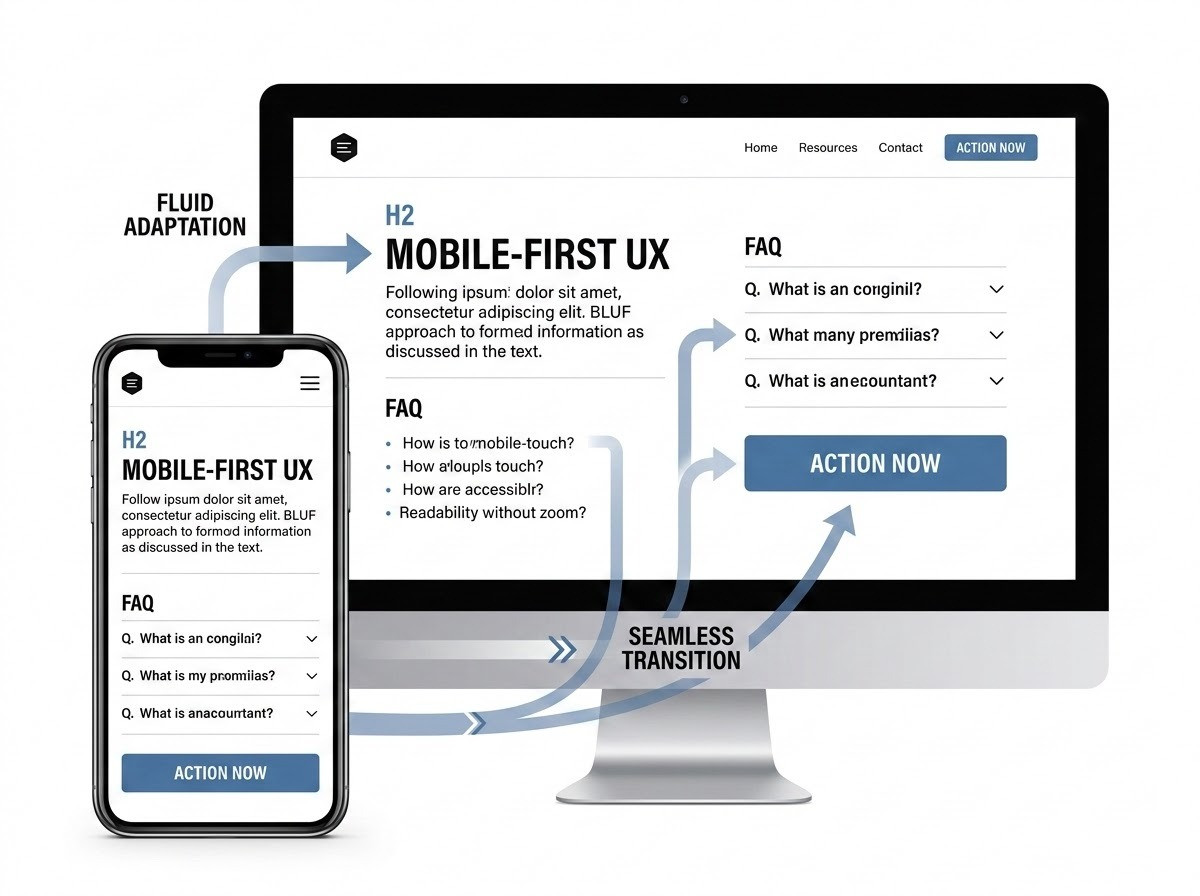
As more than 60% of global internet traffic comes through mobile devices, it would be an absolute blunder to take the mobile site of your website as something of lesser priority. Our goal is no longer being "mobile friendly," (which is basically a desktop website that has been reduced to fit into smaller screens).
Mobile-first design entails building the website essential keeping in mind small screens first and then gradually improving it for larger desktop screens.
The approach is clearly an influence on User Experience (UX) and Hybrid SEO. The search engine has already implemented mobile-first indexing across the board, meaning that Google now indexes and ranks the web page using the mobile version first. If the mobile experience you provide is not smooth and fast or if you are hiding some crucial data available only on desktop from the users’ view, your search visibility will drop dramatically. When the mobile experience is difficult for the user, it immediately results in high bounce rates.
Actionable Implementation
In order to achieve the genuine mobile first approach, consider these vital aspects:
-
Touchable Interface: The buttons and other interactive components should have proper spacing to avoid mistakes in tapping because of the “fat finger” problem.The recommended minimum size of the touchable user interface components should be 48 x 48 px.
-
Fluid Typography: Make sure the font is readable without having to resort to pinch and zoom. Using relative sizing allows you to make sure the font scales properly.
-
The content should not simply stack in case of resizing, but rather change in terms of how it is structured and laid out by means of CSS Grid or Flexbox.
2. Core Web Vitals and Lightning-Fast Loading Speeds
How Fast Should a Modern Website Load?
Speed is not only about technical performance but also about conversion rate. Any one second lost in page load time equals to lower conversion rate.Users increasingly expect fast-loading website and instant access to information
Search engines define speed in terms of CWV (Core Web Vitals) — a list of exact metrics which according to Google are important for Largest Contentful Paint (LCP):
a web page experience.
This measures the loading performance. It is used to measure the time taken by the largest text or image content to load in the viewport.
The ideal score for LCP should not exceed 2.5 seconds.
-
Interaction to Next Paint (INP): This metric replaces the old metric known as First Input Delay (FID). INP measures the interaction and responsiveness of the website. This indicates the latency of all the interaction such as clicks, taps, and key presses on a webpage by the user during their entire session.
-
The web page’s performance metric for visual stability is called Cumulative Layout Shift (CLS). I wrote about layout shifts some time ago. A good CLS value is 0.1 or better. In order to measure it properly, it has to be calculated for a full page load (Cumulative means “over time”, hence full page load)
Actionable Implementation
Technical excellence is what will ensure good Core Web Vitals results:
-
Aggressive Image Compression: Use advanced image compression technology like WebP or AVIF as they are way more efficient than older technologies such as JPEG and PNG.
-
Implement Lazy Loading: Let images and videos that are located below the fold of the page load only when users scroll down to that part of the page.
-
Minimize the Size of Your JavaScript Files: Make sure that all the excess codes are deleted from your file and utilize features such as Defer to make sure that the unimportant files of JavaScript are only loaded when the whole page is loaded.
-
CDN (Content Delivery Network): It provides you with the facility to store your content on multiple servers and your users will be able to access them from the local server.
3. Intuitive, Frictionless Navigation and Site Architecture
What Makes Website Navigation Effective?
It’s not only about technical speed but also about the conversion speed. Every second wasted on web loading is connected with the decreased conversion rate. In the age when AI responds in a matter of seconds, nobody has any patience at all. Your website must be prepared to load in less than 2.5 seconds.
Search engines consider speed through the set of Core Web Vitals (CWV), which represent some particular aspects that Google considers vital for the user experience. It’s necessary to understand what do these metrics represent from the perspective of a business owner:
Actionable Implementation
-
Sticky Header: Design a navigation bar that appears above the scrolling section on the screen, ensuring access to basic pages throughout the page.
-
Descriptive Labels: Don't be creative by choosing vague menu names. Rather than using "Our Solutions," use "B2B Software Solutions." Descriptive labels enable human users as well as AI to immediately understand where the links lead to.
-
Strong Footer: Employ your footer area as another navigation point. Add links to legal pages, ancillary services, contacts, and localized site maps.
4. Hybrid SEO-Optimized Content Structure (GEO & Traditional)
How to Structure Content for Generative AI (GEO) and Traditional Search?
The biggest revolution in digital marketing today is the Answer Ownership revolution. The world has moved on to Generative Engine Optimization (GEO). More and more consumers are skipping the old-fashioned search engine results (10 blue links) in favor of answers that are created using the power of AI platforms. In order to survive, you need to design your site in such a way that AI can extract your information without hesitation and can cite your brand.
This is where semantic HTML comes into play. Heading tags (H1, H2, H3) are not only visual components to increase font size but also important components that structure your text according to the machines. When your text is one big block of letters, AI engines won't find the answer to their questions and move on to other places.
Actionable Implementation
For Hybrid SEO structure, there needs to be a specific editorial process:
BLUF Approach – Bottom Line Up Front. If you’re posing a question using an H2 heading (e.g., “What is Hybrid SEO?”), answer the question right away under the heading in a brief paragraph of 40-60 words. This forms an extremely extractable “snippet” for AI. The nuance can be discussed further in the following paragraphs.
Use Structured Data – AI extraction algorithms are very fond of it. For processes, use bulleted lists; for comparison, make tables; and for definitions, bold text.
Use FAQ Schema Markup – Make sure to create an entire section for FAQs on difficult concepts and put appropriate JSON-LD Schema Markup around it. This way, you’re saying to search engines, “This is the question, and this is the answer.”
5. Trust Signals and Authentic Social Proof
Why is Social Proof Essential for Conversions?
In an internet space that’s getting overwhelmed by AI content, human trust is the highest currency one can think of. In Google’s terms, it is referred to as E-E-A-T: Experience, Expertise, Authoritativeness, and Trustworthiness. Without any evident signs of trustworthiness, your site won’t be able to rank organically and won’t convert the visitors who visit your site anyway.
The era when you could post random, anonymous testimonials ("Great service!" - John D.) is over. Modern consumers are smart enough to distinguish between genuine and fake testimonials, and modern AI understands it well. You need some real-life social proof.
Actionable Implementation
Go further than the standard testimonials slider and implement trust signals on every page:
-
Live Review Widgets: Include live streams of reviews from established review websites such as Google My Business, Trustpilot, or G2. They can’t be faked and hold high value.
-
Case Studies: Don’t just tell people you’re the best at what you do; show them through case studies. Provide case studies that detail how you have solved your clients’ problems and what ROI you have delivered to them.
-
Logos of Well-Known Brand Names: You can put an “As seen in” or “Trusted by” logo widget if you have associated yourself with well-known brand names or have appeared in reputable sources.
The business Name, Address and Phone Number (NAP) must remain consistent on the website and on all local business directories. This data can be placed in the website footer or elsewhere on the website.
6. Clear, High-Intent Calls to Action (CTAs)
How to Design CTAs That Actually Convert?
A website lacking clear calls to action (CTAs) is the very embodiment of a passive online brochure. Yes, you can inform the user of your presence, but if you fail to give them a clear course of action to take next, then they won't bother. Every single page of a contemporary business site requires a clearly defined "next step."
The psychology of action plays an important role in crafting effective CTAs. It has to be impossible to miss – both in visual and linguistic terms.
Actionable Implementation
Stop passive voice and invisible buttons:
-
Value-Based Text: Do not use generic phrases like “Submit,” “Click Here” or “Learn More.” Instead, opt for value-based action verbs like “Get Your Free AI Audit,” “Schedule a Strategy Call,”
-
High Contrast Color: Your main CTA buttons need to have a color that contrasts highly with the rest of your website’s primary colors. So if your website has mostly blue and white, you can go with an orange or green CTA button.
-
Placement Strategy: Make sure to have all of your important CTAs located above the fold on your landing pages, and also make sure to include them at strategic points of closure in the content.
7. Robust Security Protocols (HTTPS, SSL, and Beyond)

What Security Features Does a Modern Website Need?
Web security is not only an IT problem anymore; it is also a marketing and user experience one. The minimum requirement for today’s website is the HTTPS (Hypertext Transfer Protocol Secure). An SSL certificate means that all the information that is being exchanged between the customer's browser and the website's server is encrypted.
Using the standard HTTP protocol will be followed by the “Not secure” message displayed in browsers such as Google Chrome and Safari, thus destroying any trust customers might have and forcing them to leave your website immediately. What is more, search engines tend to penalize such sites in terms of ranking.
On top of all this, there is also an issue of data privacy compliance, which should be seen as a feature of the website.
Actionable Implementation
Security should be both holistic and anticipatory:
-
Force SSL For All Pages: Make sure that all pages, including subdomains and media, are required to load via SSL so that no "mixed content" warnings appear.
-
Compliance With Data Privacy Regulations: Set up strong cookie management systems that will meet the requirements of the local legislation (GDPR - EU; CCPA - California). Provide clear links to an actual Privacy Policy.
-
Web Application Firewall (WAF): Particularly, when building e-commerce platforms or applications that will process customers' data, use a Web Application Firewall to monitor and filter HTTP traffic in order to prevent such security threats as SQL injection and XSS attack.
-
Automated Backups: Schedule daily automated backups to save the information at a remote server in case of any system crash or hacking attempt.
8. Accessible and Inclusive Design (WCAG Compliance)
Why Website Accessibility is Crucial for Business Growth
The term accessible web refers to making sure that the web site is accessible by people with various kinds of disabilities including visual, auditory, motor, speech, cognitive and neurological disabilities. Considering the number of legal requirements which make companies follow the guidelines of WCAG (Web Content Accessibility Guidelines), organizations should view web accessibility not only as a mandatory activity but also as an amazing opportunity.
Not making your website accessible means intentionally alienating a large portion of the world population and their spending power.
It should be noted that there is a significant intersection between accessibility standards and Hybrid SEO because search engine crawlers and AI models perceive the website the same way as screen readers do. They read the text and code rather than see visuals. Consequently, what helps make your website accessible to visually impaired people makes it extremely comprehensible for AI.
Actionable Implementation
Auditing and improving your website with the following essential features:
-
Color Contrast: Provide adequate contrast ratios for text and background colors. It’s not acceptable according to the WCAG guidelines to use light gray text against a white background – such a combination of colors is unreadable to many people.
-
Alt Attributes: Provide descriptive alt attributes for all meaningful images on your website. Don’t keyword stuff! The content of the image should be described to the screen readers and AI crawlers properly.
-
Focusable Elements: It should be ensured that there are no "keyboard traps" as the keyboard navigation is used to access all the parts of the website that require user interaction through the Tab button.
-
Labels: In case the interactive element is complex (for example, custom dropdowns and modals), then Accessible Rich Internet Applications (ARIA) attributes have to be added to assist the assistive technologies in understanding them.
9. Integrated Lead Capture and CRM Connectivity
How to Turn Website Traffic into Actionable Leads?
It is completely irrelevant to attract thousands of unique visitors monthly if these visits do not yield any measurable leads. A contemporary website cannot work in isolation; it has to be seamlessly woven into the larger sales and marketing structure of the business. The website is the net; the CRM system is the boat.
The old fashioned "Contact Us" form, which requests Name, Email, and Message, is becoming less effective than before. Contemporary lead generation requires providing some form of value in exchange for the user's details. The value has to suit the intent of the user.
Actionable Implementation
Connect the dots between traffic and sales with dynamic integration:
-
Value-Driven Gated Content: Provide high value content (such as "The Industry Benchmark Report", templates or detailed white papers) through lead capture forms.
-
Interactive Forms of Lead Capture: Do not stick to static forms. Make use of interactive tools such as ROI calculators, quizzes or quoting. These tools collect high intent information while giving something back to the user instantly.
-
API Integration With CRM: Never have your leads in an unorganized inbox anymore. Make sure that all web forms feed into your CRM directly (Hubspot, Salesforce or ActiveCampaign) using API integration. This will enable automated follow up sequences by your sales team immediately while the lead is hot.
10. Dynamic Content and Analytics Integration
Why Data-Driven Websites Outperform Static Sites
There’s cutthroat competition in the world of digitization, and nothing ruins your chances of being noticed more than stagnation. It is always important to ensure that there’s an update in place when it comes to the content being created by you. Even the AI algorithms are in the process of retraining themselves from scratch every time there is fresh content available.
There’s no way you can evolve and improve without knowing how well you are performing in the first place. A modern website needs strong and comprehensive analytics.
Actionable Implementation
Establish a culture of using data for your website:
-
Keep Your Authority Hub Updated: It's time to go above and beyond a simple blog. Create a strong “Resource Center” or “Knowledge Base” filled with long-form content that is continuously updated by experts. This creates the authority required to rank for GEO and AI Overviews.
-
Implementation of Advanced Analytics: Instead of relying on basic tracking of page views, use more advanced analytics platforms like GA4, which needs to be correctly set up to measure various events such as form fills, button clicks, and video plays. Connect it to Google Search Console for tracking of specific search queries' performance and indexation.
Frequently Asked Questions
1. What is Hybrid SEO? Hybrid SEO is an all-encompassing approach that ensures your website is optimized not only for the traditional ranking positions ("10 blue links") but also for Generative Engine Optimization (GEO). It makes sure that you deliver not only content that meets human emotional needs but also content with perfectly structured and extractable data that will be cited by LLMs as your brand authority.
2. What is the difference between a mobile-friendly site and a mobile-first site? The mobile-friendly site is designed initially to fit the computer screen, and later on squeezed to fit the phone screen size.. The mobile-first website is developed, designed, and coded from scratch thinking about the smallest mobile screen first and scaling gradually to larger screens. Mobile-first is the new web performance standard.
3.Why are Core Web Vitals important?
Core Web Vitals are certain metrics that Google uses in order to measure the quality of user experience on your website depending on the speed, reliability and interaction of your website.
4. What is the impact of Generative Engine Optimization (GEO) on content creation? The emphasis is shifted away from keyword stuffing toward what is known as "Answer Ownership." Structured content using semantic HTML such as defined H2 and H3 headings becomes crucial along with concise answers following the headings for ease of extraction by the AI model.
5. Does a small enterprise require powerful security such as Web Application Firewall (WAF)? The number of cyberattacks on SME is growing fast. At least strict use of HTTPS is mandatory for building trust, but the WAF provides essential front-line protection against malicious bots, malware, and data breach for a growing business.
6. What is "Answer Ownership" in the context of AI search? "Answer Ownership" is being acknowledged by the AI engines (such as Google AI Overviews) as the only source of information related to the topic or the query. If you own the answer, then AI quotes your website and references your brand.
7. In what ways can website accessibility be an SEO factor? The accessibility factors, including image alt tags and semantic markup, are primarily meant for individuals who have disabilities and utilize screen reader technology. Due to the similarity of AI bots with screen readers, improving website accessibility is beneficial for AI comprehension.
8. What would be the best method for lead generation on a website? The old-fashioned contact-us page is becoming less and less effective. Lead generation now involves providing some kind of value immediately in exchange for information such as downloadable industry reports, ROI calculators, or quiz questions.
9. How can I connect my website to my CRM? Don't use emails in your inbox for lead notifications. The ideal way would be through API integration of your web forms with your Customer Relationship Management platform (such as HubSpot and Salesforce).
10. How frequently do I need to change or refresh my business website? When a total change takes place after every 3 to 5 years, then it becomes essential for you to continually update your website. This entails that dynamic content be added to your website, fix any security concerns, and redesign it according to the behavior of the users.
Conclusion
The day of the website as merely a “digital brochure” is definitely dead. In order to prosper onwards, a business website must be built to function as an adaptive, highly secure, and highly integrated growth machine. This means that it must have the capability to load instantly, have the right design language to convert mobile users, and most importantly, the semantic architecture necessary for Hybrid SEO, that is, one that appeals to both human emotion and AI algorithmic extraction.
Creating such a web presence is not just about one-time execution; it requires a consistent process. A website cannot be done once and forever. Consistent iteration based on analytics and ever-changing user behavior, along with the constantly shifting algorithms of AI search engines, is a necessity.
We urge you to take stock of your current website in relation to these 10 vital elements. Are you building your content for AI overviewing? Is your mobile website truly smooth sailing? If you’re ready to upgrade your web presence and conquer the age of Generative Engine Optimization, Contact Gigmint.ai to schedule an AI SEO Website Audit.